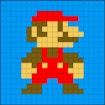
Pixel art has a timeless charm that continues to inspire artists, designers, and hobbyists alike. With its retro appeal, bold visual style, and surprisingly modern versatility, pixel art remains one of the most accessible and rewarding forms of digital creativity. Whether you are a beginner experimenting with your first sprite or an experienced creator refining detailed scenes, the right tool can make the process smoother, faster, and far more enjoyable.
Pixeler is designed to help bring pixel art to life with ease. Built around an intuitive interface, it removes unnecessary complexity so you can focus on what matters most: creating. From vibrant colors to practical editing features, Pixeler gives you the freedom to sketch, refine, and share your work without getting in the way of your creative flow.
Pixel Art Made Simple
One of the biggest strengths of pixel art is that it combines simplicity with creative depth. Every tiny square matters, and each placement contributes to the overall shape, shading, and personality of the piece. Pixeler understands this balance and offers a clean, user-friendly workspace that makes it easy to get started right away.
Instead of overwhelming users with cluttered menus or advanced settings, Pixeler keeps the experience straightforward. This makes it especially helpful for those who are new to pixel art, while still offering enough flexibility for more experienced artists to produce polished results. You can begin with a simple sketch, build out your design pixel by pixel, and gradually shape your artwork into something unique.
Intuitive Tools for Creative Control
Creating compelling pixel art often depends on having the right tools at your fingertips. Pixeler includes a range of practical features that support a smooth and efficient workflow. The eyedropper tool allows you to quickly sample colors from your canvas, helping you maintain consistency across your design. The paint bucket tool makes it easy to fill larger areas without spending unnecessary time on manual coloring.
These tools are especially useful when working on detailed illustrations or repeating patterns, where accuracy matters. Instead of breaking your concentration, the software helps streamline the process so you can stay focused on creative decisions. Whether you are adjusting a character palette, filling in a background, or cleaning up a small section of your canvas, Pixeler keeps the work manageable and precise.
Vibrant Colors That Bring Pixel Art to Life
Color plays a major role in the impact of pixel art. With the right palette, even the simplest design can feel expressive, dynamic, and memorable. Pixeler offers vibrant color options that give your creations energy and depth. You can explore different combinations, test contrast, and fine-tune your palette until it matches the mood you want to achieve.
For pixel art creators, this kind of color control is essential. A limited palette can create a nostalgic retro look, while a broader selection can support more modern or detailed illustrations. Pixeler gives you the flexibility to experiment with both approaches. As a result, you can craft artwork that feels bold and visually striking, whether you are designing characters, icons, landscapes, or abstract compositions.
Create, Customize, and Refine with Ease
Great pixel art often comes from iteration. A design may begin as a rough concept, then evolve through small adjustments in shape, color, and composition. Pixeler supports this creative process by making it easy to customize and refine your work as you go.
You can revisit your artwork, make changes quickly, and experiment with different visual ideas without losing momentum. This flexibility is especially valuable when you are developing a project over time or collaborating with others on a shared concept. Because the platform is designed for ease of use, it encourages experimentation and makes the editing process feel less like a chore and more like part of the creative experience.
Share Pixel Art Across Devices
In today’s connected world, creativity does not need to stay in one place. Pixeler makes it simple to share your pixel art with friends and collaborators across devices, helping your work reach a wider audience. Whether you want to show off a finished piece, gather feedback, or collaborate on a project, sharing your creations is quick and convenient.
This cross-device accessibility adds another layer of value to the experience. You can create, view, and distribute your art in a way that fits your routine, making it easier to stay inspired and connected. For artists who enjoy sharing progress updates or working with a community, this feature can make the creative process even more rewarding.
Why Pixeler Is a Great Choice for Pixel Art
Pixeler combines simplicity, functionality, and flexibility in a way that makes pixel art creation feel approachable and enjoyable. Its intuitive interface reduces friction, while its practical tools support accuracy and efficiency. Add in vibrant color options and easy sharing across devices, and you have a platform that helps turn creative ideas into finished artwork with less effort.
Whether your goal is to create nostalgic retro graphics, playful characters, or detailed digital illustrations, Pixeler gives you a reliable space to explore your creativity. It is a tool that supports both spontaneous experimentation and thoughtful design, making it a strong choice for anyone interested in pixel art.
Conclusion
Pixel art thrives when creativity meets the right tools, and Pixeler delivers exactly that. With its easy-to-use interface, vibrant color choices, and helpful features like the eyedropper and paint bucket, it makes the process of creating pixel art feel smooth and rewarding. You can customize your work, refine your ideas, and share your creations with ease across devices.
If you want a stunning and effortless way to bring pixel art to life, Pixeler offers a creative experience that is both simple and powerful.
Game Tags
color palette, creative software, cross-device sharing, digital art, intuitive design, pixel art, pixel art editor, pixel art tool, retro graphics, sprite design